



Borland/Turbo C++ inspired TUI widget library for Vim and NeoVim — menus, dialogs, context menus and more, all in pure VimScript with no dependencies.
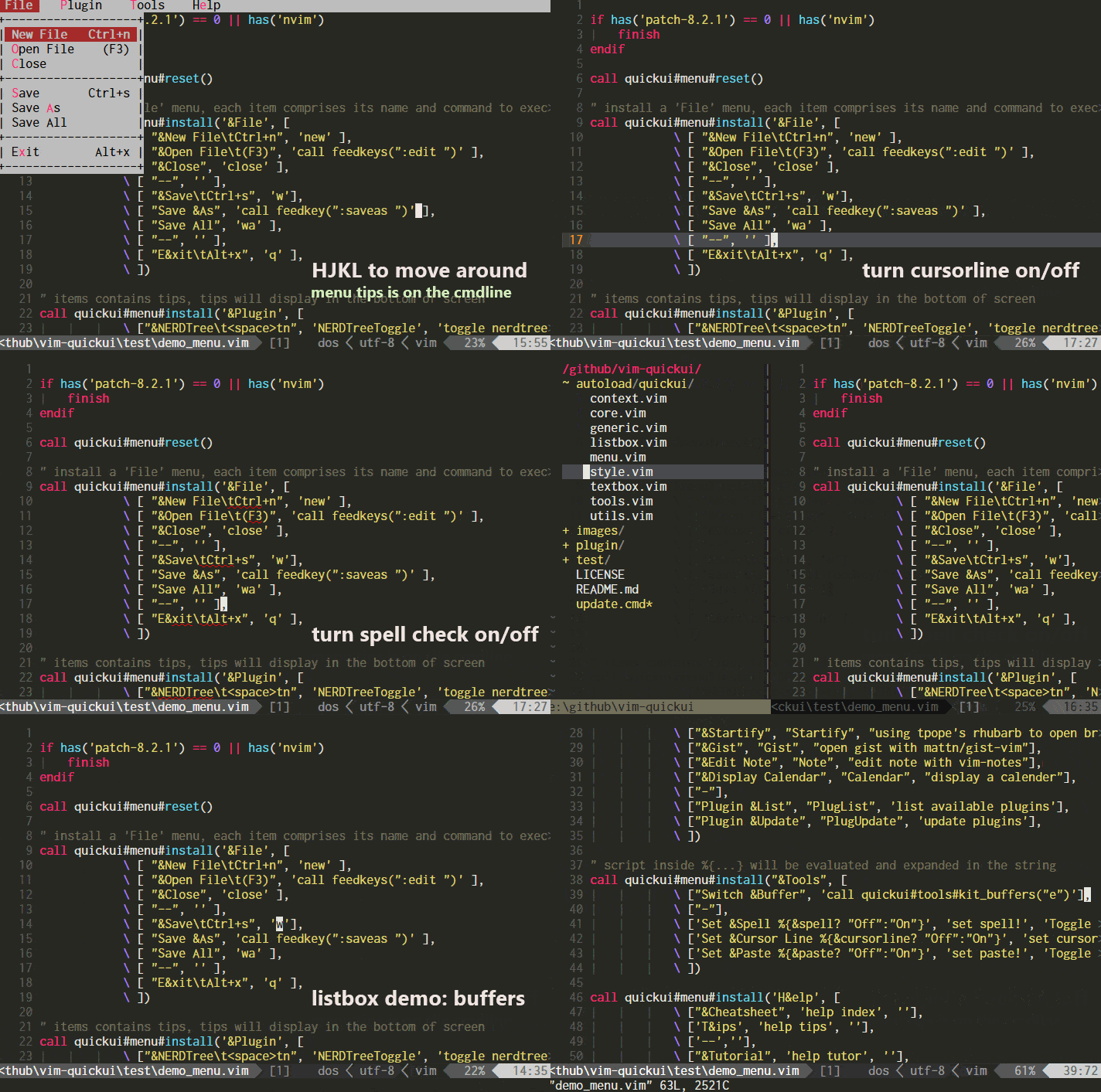
- Rich widget set — menubar, context menu, data-driven dialog, listbox, textbox, preview window, and more
- Data-driven dialog system — declare UI controls as data, get results as a dictionary
- Cross-platform — consistent experience across Vim 8.2+ and NeoVim 0.4+
- Keyboard-driven — navigate with
hjkl, confirm withEnter, cancel withESC; full mouse support - Customizable — multiple color schemes (Borland, gruvbox, solarized...) and border styles
- Pure VimScript — no
+python, no external dependencies, zero overhead
Using vim-plug:
Plug 'skywind3000/vim-quickui'Using Vim's built-in package manager:
mkdir -p ~/.vim/pack/vendor/start
cd ~/.vim/pack/vendor/start
git clone https://github.com/skywind3000/vim-quickuiAdd a dropdown menubar to your Vim — just put this in your .vimrc:
" clear all the menus
call quickui#menu#reset()

" install a 'File' menu
call quickui#menu#install('&File', [
            \ [ "&Open\t(:w)", 'call feedkeys(":tabe ")'],
            \ [ "&Save\t(:w)", 'write'],
            \ [ "--", ],
            \ [ "E&xit", 'qa' ],
            \ ])

" install a 'Edit' menu
call quickui#menu#install('&Edit', [
            \ [ '&Trailing Space', 'call StripTrailingWhitespace()' ],
            \ [ 'Format J&son', '%!python -m json.tool' ],
            \ ])

" map to a key
noremap <silent><space><space> :call quickui#menu#open()<cr>
Press <space><space> and you'll see a menubar at the top of Vim — navigate with hjkl or mouse, pick an item with Enter:
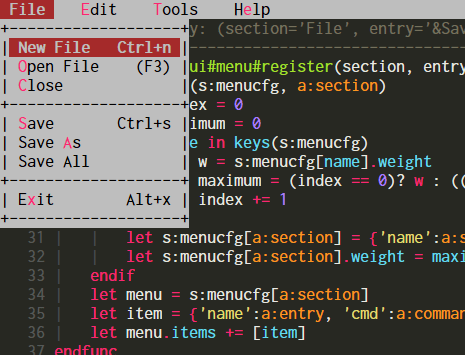
For a complete configuration example, see menu_example.vim.
The menubar displays a row of dropdown menus at the top of the screen, similar to the classic Borland/Turbo C++ IDE. Use & in item text to define hotkeys, and \t to add right-aligned annotations:
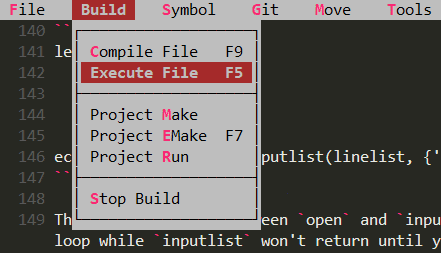
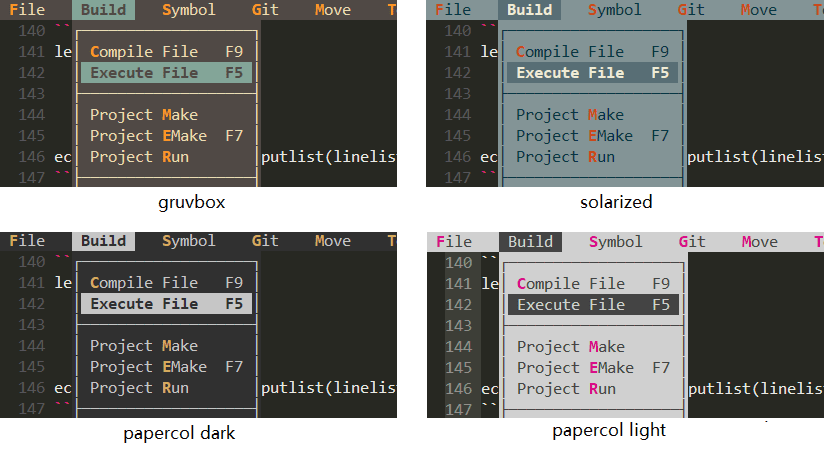
Customizable border styles and color schemes:
| Border Styles | Color Schemes |
|---|---|
 |
 |
See: Menu API reference
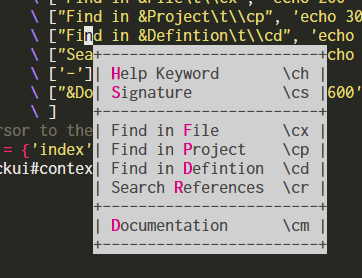
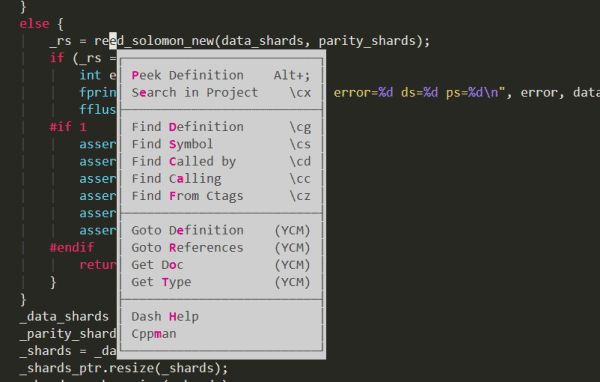
A right-click style menu that appears near the cursor — ideal for presenting commands relevant to the current context:
| Default Border | Custom Border |
|---|---|
 |
 |
let content = [
            \ ['&Help Keyword', 'echo 123' ],
            \ ['&Signature', 'echo 456' ],
            \ ['-'],
            \ ['&Peek Definition', 'echo 789'],
            \ ]
call quickui#context#open(content, {})
See: Context Menu API reference
The most powerful widget in QuickUI. Declare a list of controls — inputs, radio buttons, checkboxes, dropdowns, buttons — and get all values back as a dictionary:
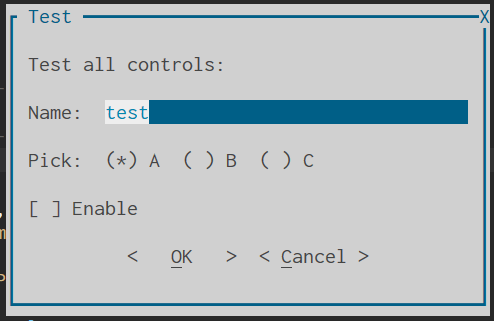
let items = [
            \ {'type': 'label', 'text': 'Settings:'},
            \ {'type': 'input', 'name': 'name', 'prompt': 'Name:', 'value': 'test'},
            \ {'type': 'radio', 'name': 'choice', 'prompt': 'Pick:', 'items': ['A', 'B', 'C']},
            \ {'type': 'check', 'name': 'flag', 'text': 'Enable Feature'},
            \ {'type': 'button', 'name': 'confirm', 'items': [' &OK ', ' &Cancel ']},
            \ ]
let result = quickui#dialog#open(items, {'title': 'Settings'})
echo result
Supported controls: label, input, radio, check, button, separator, dropdown. Navigate with Tab/Shift-Tab or hotkeys.
See: Dialog guide | Tutorial | Dialog Examples
QuickUI also provides several additional widgets:
| Widget | Description | Docs |
|---|---|---|
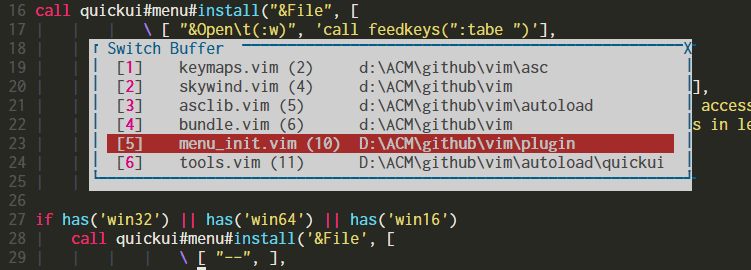
| Listbox | Scrollable list with search (/ or ?) and mouse wheel support — great for buffer switching or function navigation |
Manual |
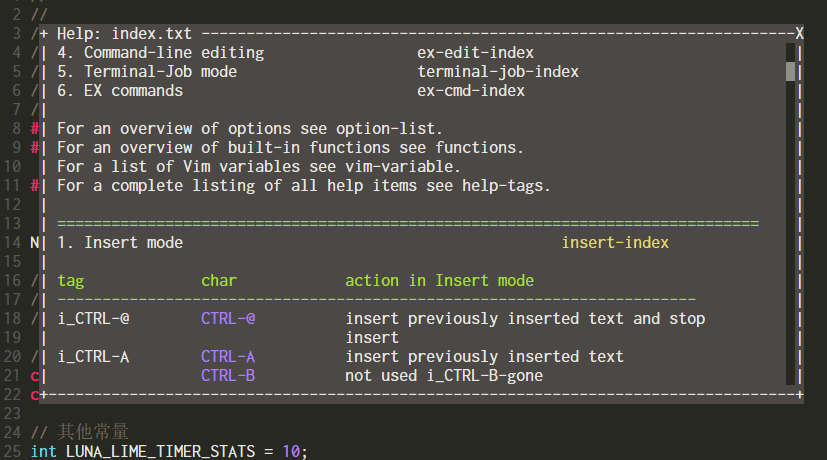
| Textbox | Display arbitrary text in a popup — useful for reading help or messages without splitting windows | Manual |
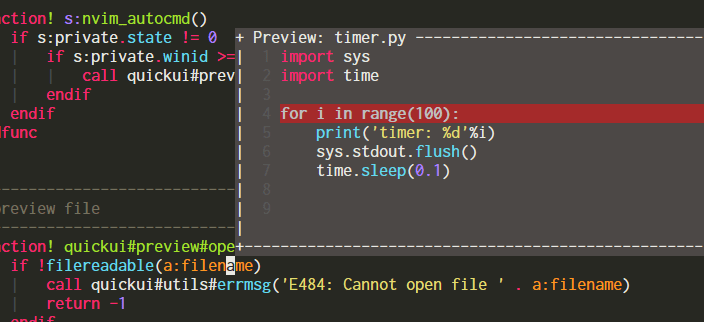
| Preview | Popup preview window near cursor — glimpse definitions or quickfix results without opening files | Manual |
| Inputbox | Single-line text input popup | Manual |
| Terminal | Run terminal programs in a popup window | Manual |
| Confirm | Simple choice dialog | Manual |
| Listbox | Preview | Textbox |
|---|---|---|
 |
 |
 |
- User Manual — complete API reference for all widgets
- Dialog Guide — in-depth guide for the dialog system
- vim-navigator — navigate your commands easily, powered by QuickUI
Created by Lin Wei (@skywind3000), an open-source advocate and long-time Vim user. This project is inspired by the Borland/Turbo C++ IDE from the 1990s — an attempt to bring that classic TUI experience into modern Vim.
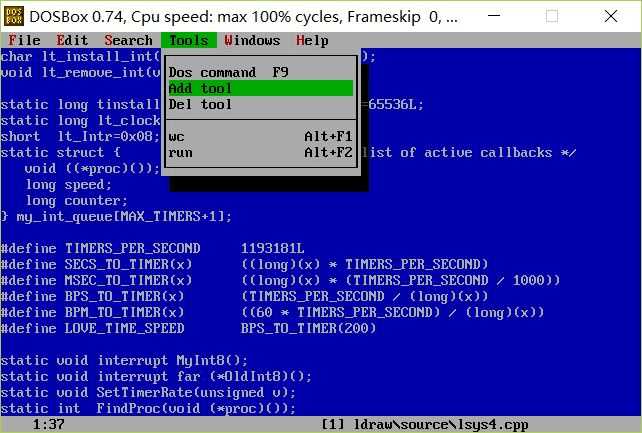
A Turbo C++ style editor I wrote for Watcom C++ back in the day
Like vim-quickui? Star the repo on GitHub and vote on vim.org. Follow @skywind3000 on Twitter for updates.