Unified Clone / Open from GitHub UI#1919
Conversation


Use clone from URL as the UI for GitHub.OpenFromUrl.
Now we have a proper UI, re-enable the `File / Open / Open from
GitHub...` button.
Add method for cloning or opening a repository.
Add method to open a repository and view it on Team Explorer Home.
Use VSServices.TryOpenRepository on Visual Studio 2015 where solution
folders aren't available. This creates a temporary solution to make
Team Explorer change its active repository.
When a directory already exists we can open the repository, so only
show a path error when a file exists at the target path.
IVSServices is only used in Visual Studio 2015 so retrieve it on demand.
Be flexible about the type of Url that CloneDialogResult can return.
Convert ToRepositoryUrl inside this method.
This command is now only responsible for opening the clone and calling
CloneOrOpenRepository.
 jcansdale
changed the title
jcansdale
changed the title

|
This LGTM @jcansdale ✨ |
This reverts commit b2f0679.


| await CloneRepository(cloneUrl, repositoryPath, progress); | ||
| } | ||
|
|
||
| teamExplorerServices.OpenRepository(repositoryPath); |
There was a problem hiding this comment.
We don't need to do this when cloning (it happens as part of the clone). But we should still switch to Team Explorer - Home.
It appears that CloneRepository is also called when a new repository is
created. Only increment the new counters during CloneOrOpenRepository.
Increment new NumberOfGitHubClones and NumberOfEnterpriseClones
counters in CloneOrOpenRepository but not CloneRepository.
Expect to fail on this commit.
Increment NumberOfGitHubOpens and NumberOfEnterpriseOpens counters when
CloneOrOpenRepository is called.
| { | ||
| await vsGitServices.Clone(cloneUrl, repositoryPath, true, progress); | ||
|
|
||
| await usageTracker.IncrementCounter(x => x.NumberOfClones); |
There was a problem hiding this comment.
This method is being called by CreateRepository here:
Change to "A file exists at the destination path."
jcansdale
force-pushed
the
feature/open-from-uri-clone-ui
branch
from
430fb34 to
9f8757a
Compare
Check the following conditions:
- Local repository exists at path
- Local repository has an 'origin' remote
- Local repository's URL matches selected repository
There was an issue with PathError appearing at the top. When the error
appeared, the repository list would move down causing a different
repository to be selected. This would clause flickering between two
repositories.

This commit consolidates PathError into PathWarning (which appears
above the path which is being validated).  This avoids the flicker and
puts the warning next to the text box which it applies to.

The logic to block clone or open when there is a file in the way has
been moved to the commands' `canExecute` observable.


I've added checks for this and also for when there is no repository at the target path or when the repository doesn't have a remote named I've moved the warning banner to above the
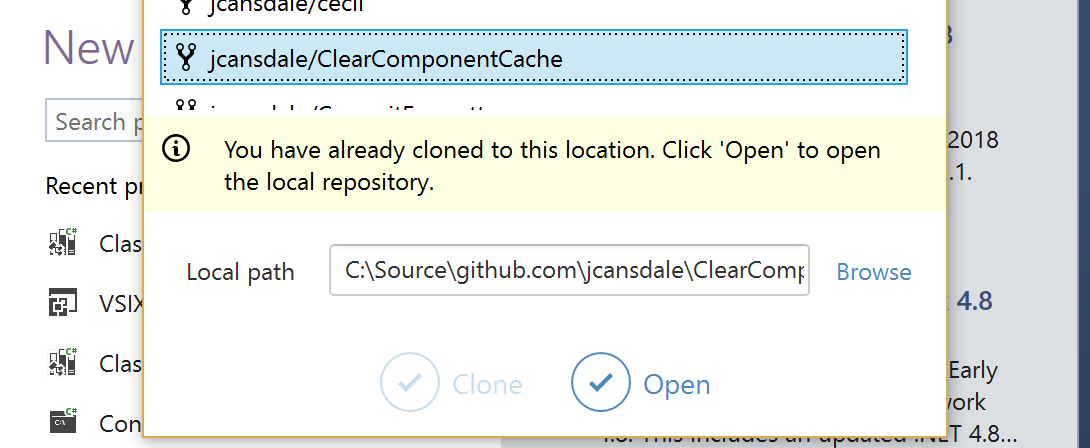
Here are the warnings:
|
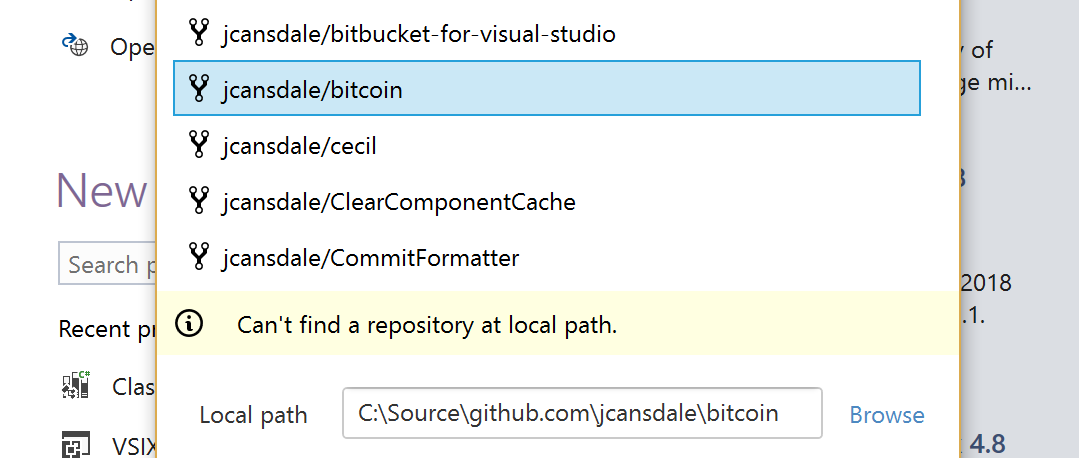


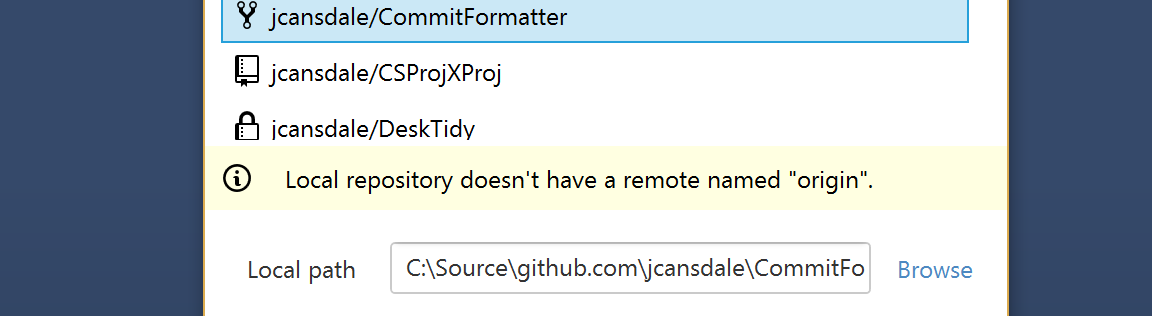
"You have already cloned to this location. Click 'Open' to open the
local repository."
|
|
Here are the updated warning messages:
|


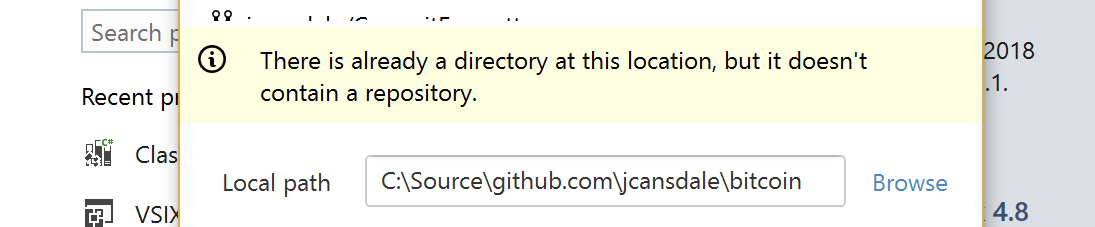
Add Open_Is_Enabled_When_Path_DirectoryExists test
Fix/update some other tests
 StanleyGoldman
left a comment
StanleyGoldman
left a comment
StanleyGoldman
left a comment
There was a problem hiding this comment.
Should the user message here change?
| { | ||
| var teServices = ServiceProvider.TryGetService<ITeamExplorerServices>(); | ||
| teServices.ShowError(e.GetUserFriendlyErrorMessage(ErrorType.ClonedFailed, result.Repository.Name)); | ||
| teServices.ShowError(e.GetUserFriendlyErrorMessage(ErrorType.ClonedFailed, result.Url.RepositoryName)); |
There was a problem hiding this comment.
Should the user message here change?
There was a problem hiding this comment.
You're right. Commit incoming. 🚀
PathWarning_Is_Set_For_Existing_Clone_At_Destination
PathWarning_Is_Set_For_Repository_With_No_Origin
PathWarning_Is_Set_For_Directory_With_No_Repository
PathWarning_Is_Set_For_Existing_Repository_At_Destination_With_Different_Remote
Changed ClonedFailed to CloneOrOpenFailed.

4 participants


What this PR does
Add File / Open / Open from GitHub...buttonGitHub.OpenFromUrlcommandTODO
What this PR doesn't do
The
GitHub.OpenFromUrlcommand will no longer attempt to navigate the the file and line number from a target Url. This was done to trim the scope of this PR to simply cloning/opening a repository.The next step will be to incorporate functionality from the
Open from clipboardcommand. This will be more complex to test and will be done as a separate PR.At the moment these two commands can be combined manually:
Add File / Open / Open from GitHub...GitHub > Open from clipboardHow to test
Here is an example workflow
Copy a GitHub URL

Select
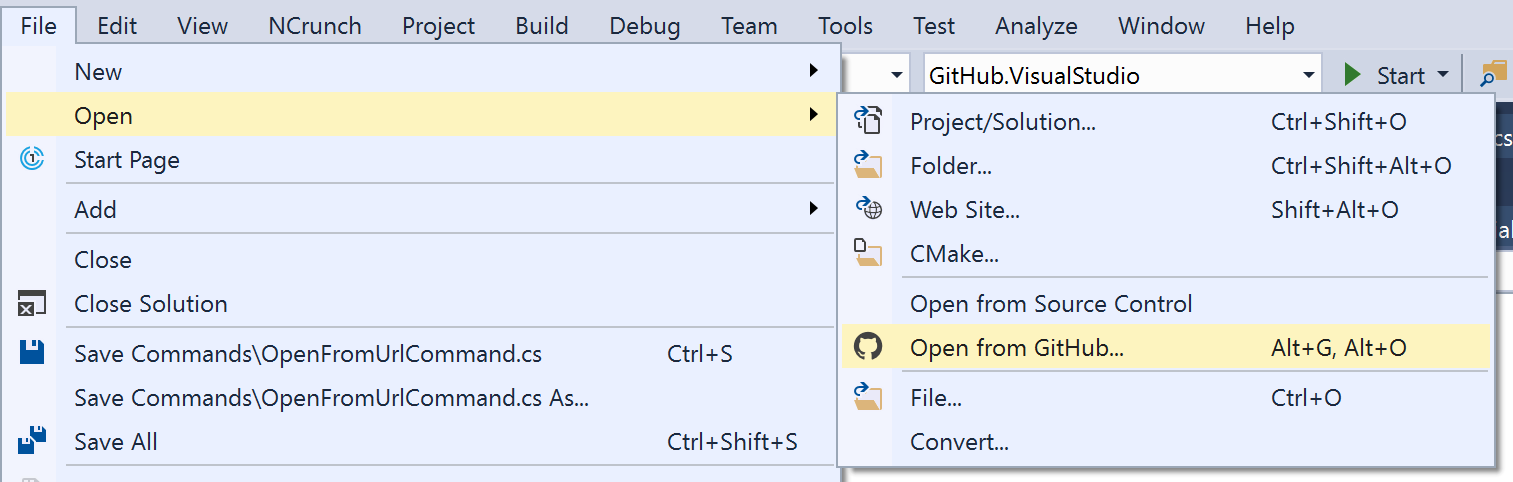
File > Open > Open from GitHub...URL is copied into username/repository field and path is populated with a default location
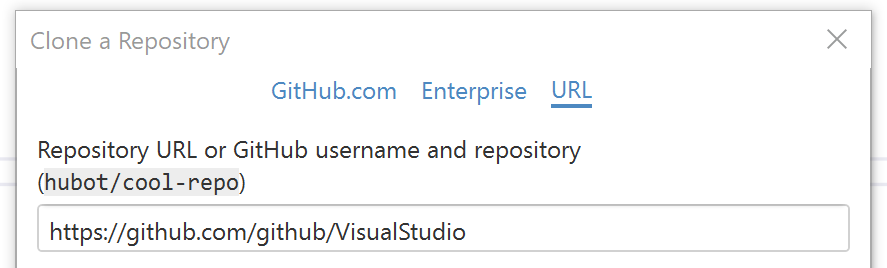
Click

Openif local repository already exists or update path andCloneto create a new repositoryRepository folder is loaded into
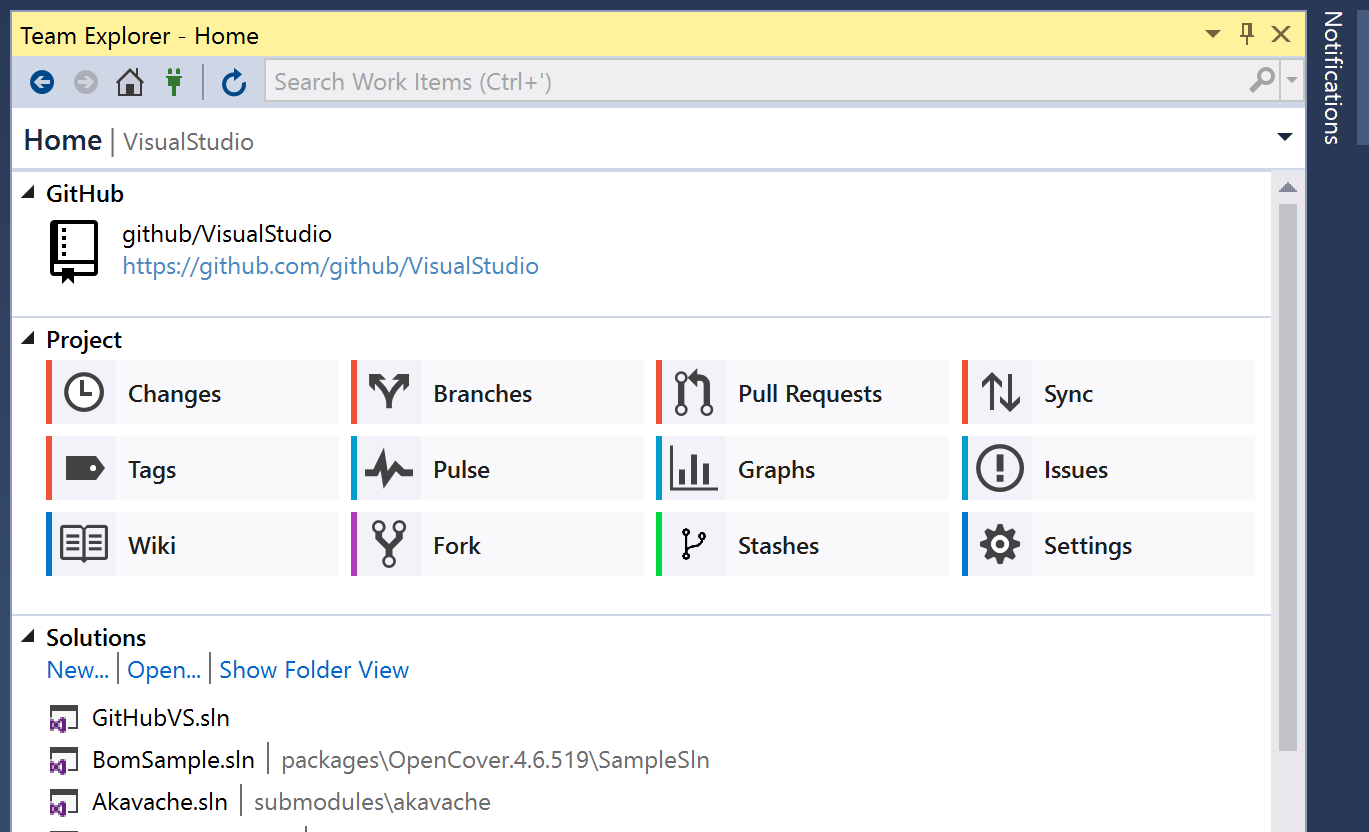
Solution ExplorerandTeam Explorer - HomeappearsSelect from list of solutions