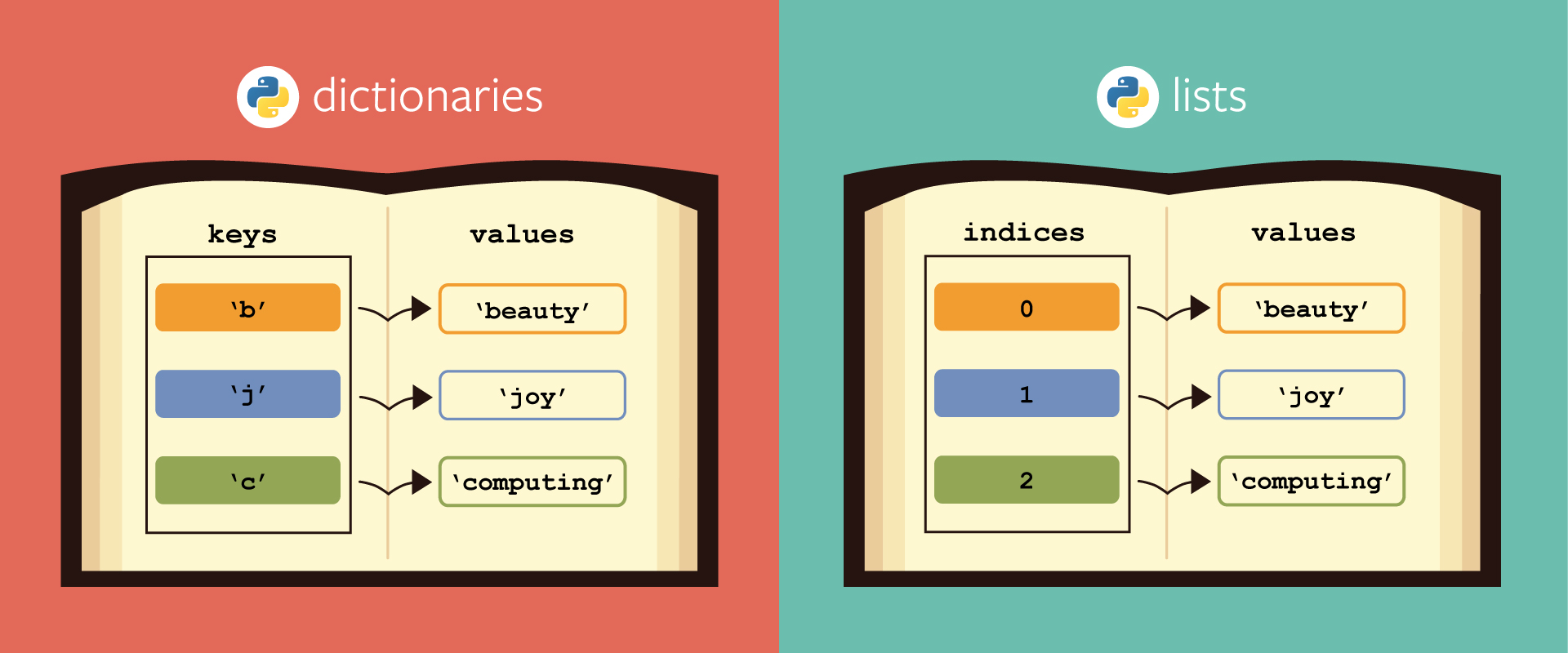
In this lesson we'll be learning about Python dictionaries! Like objects in JavaScript, dictionaries in Python are a powerful data type that allows us to store keys and values.
- Learn how create and format dictionaries
- Learn how to modify and read dictionaries
Forkandclonethis repository
Dictionaries are a collection of unique key-value pairs that are easily accessible. They allow us to keep a fast and easy to read record of information. We've seen dictionaries before in the form of javascript objects:
let myObj = {
  key: 'value'
}
Now let's see what python dictionaries look like:
my_dict = {
    "key":"value"
}
Notice the difference here? In the javascript object, the key is not wrapped in quotes, in a python dictionary, it is. Python is an interpreted language meaning that anything that doesn't have an explicit type or key word is interpreted as a variable.
Key's can also be integers and tuples! Key's must be an immutable type!
Let's say we have a dictionary with a key of "name" and a value of "Jane", in javascript we would normally access it like so:
let people = {
  name: 'Jane'
}
people.name // Returns Jane
In python however, we use bracket [] notation:
people = {
    "name":"Jane"
}
people["name"] # Returns Jane
Another way of accessing a value by key is using the .get() method:
people = {
    "name":"Jane"
}
people.get("name")
And what if we wanted all of the values? There's a method for that too:
person = {
    "name":"Jane",
    "age":16,
    "birth_place":"London"
}

person.values() # Returns dict_values(['Jane', 16, 'London'])
Another way to declare a dictionary is by using the dict constructor:
my_dict = dict()There are many more dictionary methods available in python,heres a list:
| Dictionary Methods | Description |
|---|---|
mydict.clear |
removes all items |
mydict.get |
returns the value of a specified key |
mydict.pop |
removes and returns element with a given key from the dictionary |
mydict.update |
updates the dictionary |
mydict.copy |
returns shallow copy of a dictionary |
mydict.items |
returns a list of the dictionary's key value pairs as tuples |
mydict.popitem |
removes and returns the last element (key, value) pair inserted into the dictionary |
mydict.values |
returns a list of all values in dictionary |
mydict.fromkeys |
creates dictionary from given sequence of keys |
mydict.keys |
returns a list of all keys in a dictionary |
mydict.setdefault |
returns the value of a key if the key is in dictionary. If not, it inserts key with a value to the dictionary. |
Adding items to a dictionary is as simple as using [] notation:
my_dict ={
    "name":"Jane"
}
my_dict["age"] = 6

print(my_dict) # Returns {'name': 'Jane', 'age': 6}
What if we wanted to update a record in our dictionary? Use the update method:
my_dict = {
    "name": "Jane"
}
my_dict["age"] = 6


my_dict.update({"age": 10})
print(my_dict)
 # Returns {'name': 'Jane', 'age': 10}
We can also use update to add something to a dictionary if it doesn't exist:
my_dict = {
    "name": "Jane"
}
my_dict["age"] = 6


my_dict.update({"age": 10})
my_dict.update({"home_town": "London"})
print(my_dict) # Returns {'name': 'Jane', 'age': 10, 'home_town': 'London'}
Pretty neat! We can also merge dictionaries together using the update method:
dict_1 = {
    "town": "Riverdale"
}

dict_2 = {
    "state": "New York"
}

dict_1.update(dict_2)

print(dict_1) # Returns {'town': 'Riverdale', 'state': 'New York'}
It's time to use our friend the for loop again!
Dictionaries are an iterable data type:
snoops_profile = {
    "id": "1574083",
    "username": "snoopdogg",
    "full_name": "Snoop Dogg",
    "profile_picture": "http://distillery.s3.amazonaws.com/profiles/profile_1574083_75sq_1295469061.jpg",
    "bio": "This is my bio",
    "website": "http://snoopdogg.com",
}

for key in snoops_profile:
    print(key)
# Returns
# id
# username
# full_name
# profile_picture
# bio
# website
As you can see, utilizing a loop, the key variable only returns the dictionaries keys, however utilizing bracket notation we can gain access to the values as well:
snoops_profile = {
    "id": "1574083",
    "username": "snoopdogg",
    "full_name": "Snoop Dogg",
    "profile_picture": "http://distillery.s3.amazonaws.com/profiles/profile_1574083_75sq_1295469061.jpg",
    "bio": "This is my bio",
    "website": "http://snoopdogg.com",
}

for key in snoops_profile:
    print(snoops_profile[key])
# Returns
# 1574083
# snoopdogg
# Snoop Dogg
# http://distillery.s3.amazonaws.com/profiles/profile_1574083_75sq_1295469061.jpg
# This is my bio
# http://snoopdogg.com
We can also use list comprehension to accomplish the same thing as above:
snoops_values = [snoops_profile[key] for key in snoops_profile]
print(snoops_values) # Returns a list with the dictionary values:
# ['1574083', 'snoopdogg', 'Snoop Dogg', 'http://distillery.s3.amazonaws.com/profiles/profile_1574083_75sq_1295469061.jpg', 'This is my bio', 'http://snoopdogg.com']Work in the main.py file and follow the instructions provided. Test your work using python3 dict_test.py.
In this lesson, we learned about the syntax, manipulation, and iteration of dictionaries in Python. A few key things to note:
-
Dictionaries in python work similarly to objects in JavaScript, but their syntax requires keys to be wrapped in quotes. Example:
my_dict = {
  "hello": "world"
}
-
Dictionaries have access to powerful methods like
updatethat can be used to manipulate their values, add in new key value pairs, or even merge dictionaries together! -
Dictionaries are
iterable, meaning that we can loop through their keys and values with for loops and list comprehension