If you haven’t already, check out our contributing guidelines for onboarding and email contributors@expensify.com to request to join our Slack channel!
Upwork link: https://www.upwork.com/jobs/~0130bb846f8492f917
Action Performed:
Scenario 1
- Log in to e.cash
- Navigate to a conversation and type a message (do not send it)
- Navigate to LHN
- Navigate to Preferences
- Enable focus mode
- Navigate to LHN
Expected Result:
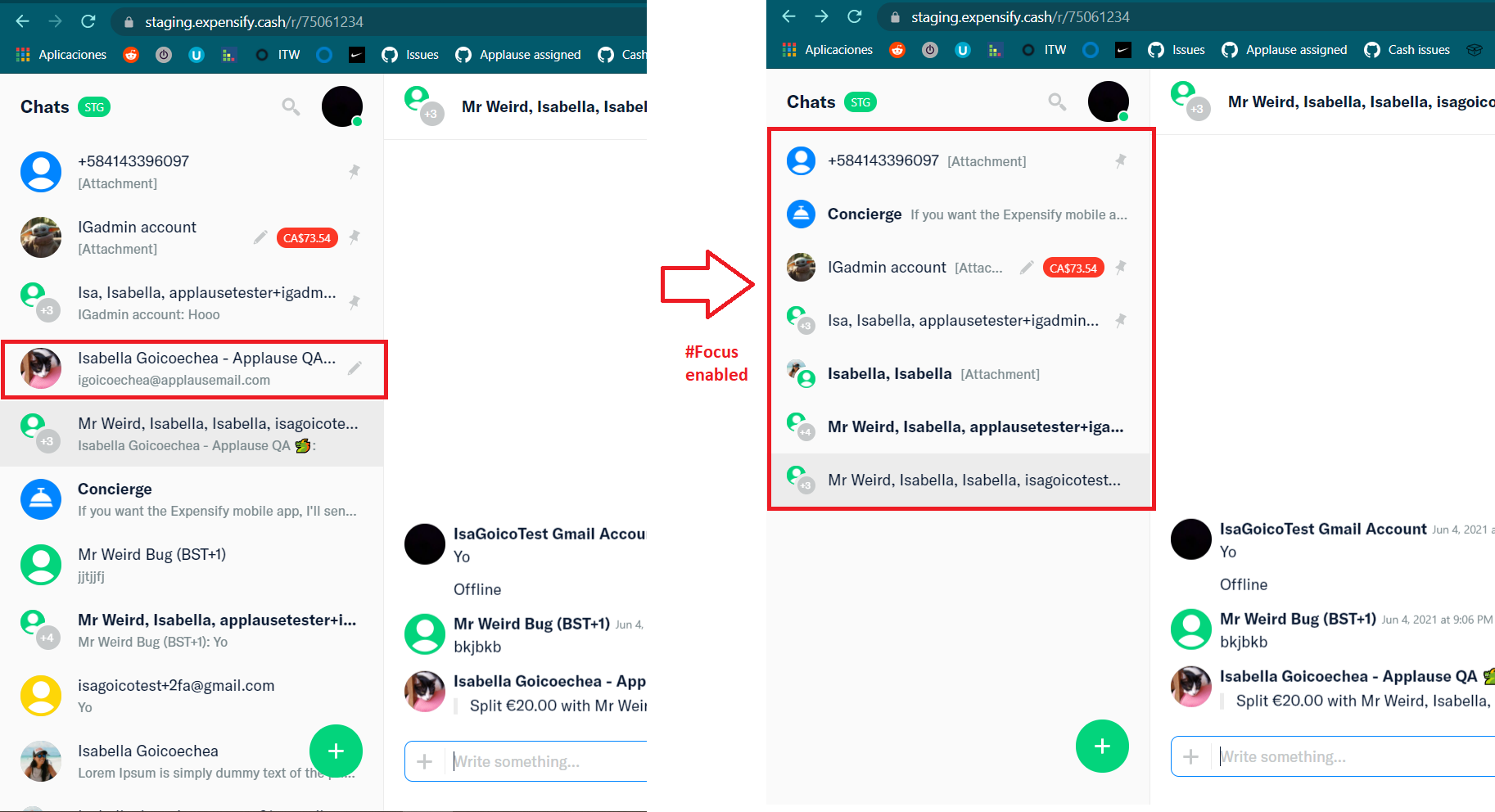
User should be able to see drafted messages in #focus mode
Actual Result:
Drafted messages are not displayed in focus mode.
Workaround:
N/A
Platform:
Where is this issue occurring?
Web ✔️
iOS✔️
Android✔️
Desktop App✔️
Mobile Web✔️
Version Number: 1.0.74-0
Logs: https://stackoverflow.com/c/expensify/questions/4856
Notes/Photos/Videos:
Expensify/Expensify Issue URL:
View all open jobs on Upwork
From @quinthar https://expensify.slack.com/archives/C01GTK53T8Q/p1624655927132900
When in #focus mode, draft messages should remain in the LHN even when you navigate away, even if the chat itself isn't pinned. However, if you write a message in an unpinned chat and then navigate away before sending, the chat is removed from the LHN.


If you haven’t already, check out our contributing guidelines for onboarding and email contributors@expensify.com to request to join our Slack channel!
Upwork link: https://www.upwork.com/jobs/~0130bb846f8492f917
Action Performed:
Scenario 1
Expected Result:
User should be able to see drafted messages in #focus mode
Actual Result:
Drafted messages are not displayed in focus mode.
Workaround:
N/A
Platform:
Where is this issue occurring?
Web ✔️
iOS✔️
Android✔️
Desktop App✔️
Mobile Web✔️
Version Number: 1.0.74-0
Logs: https://stackoverflow.com/c/expensify/questions/4856
Notes/Photos/Videos:
Expensify/Expensify Issue URL:
View all open jobs on Upwork
From @quinthar https://expensify.slack.com/archives/C01GTK53T8Q/p1624655927132900