If you haven’t already, check out our contributing guidelines for onboarding!
Having added four new menu items to the Settings page, we now need to begin linking those menu items to actual pages. This issue pertains to the Profile page.
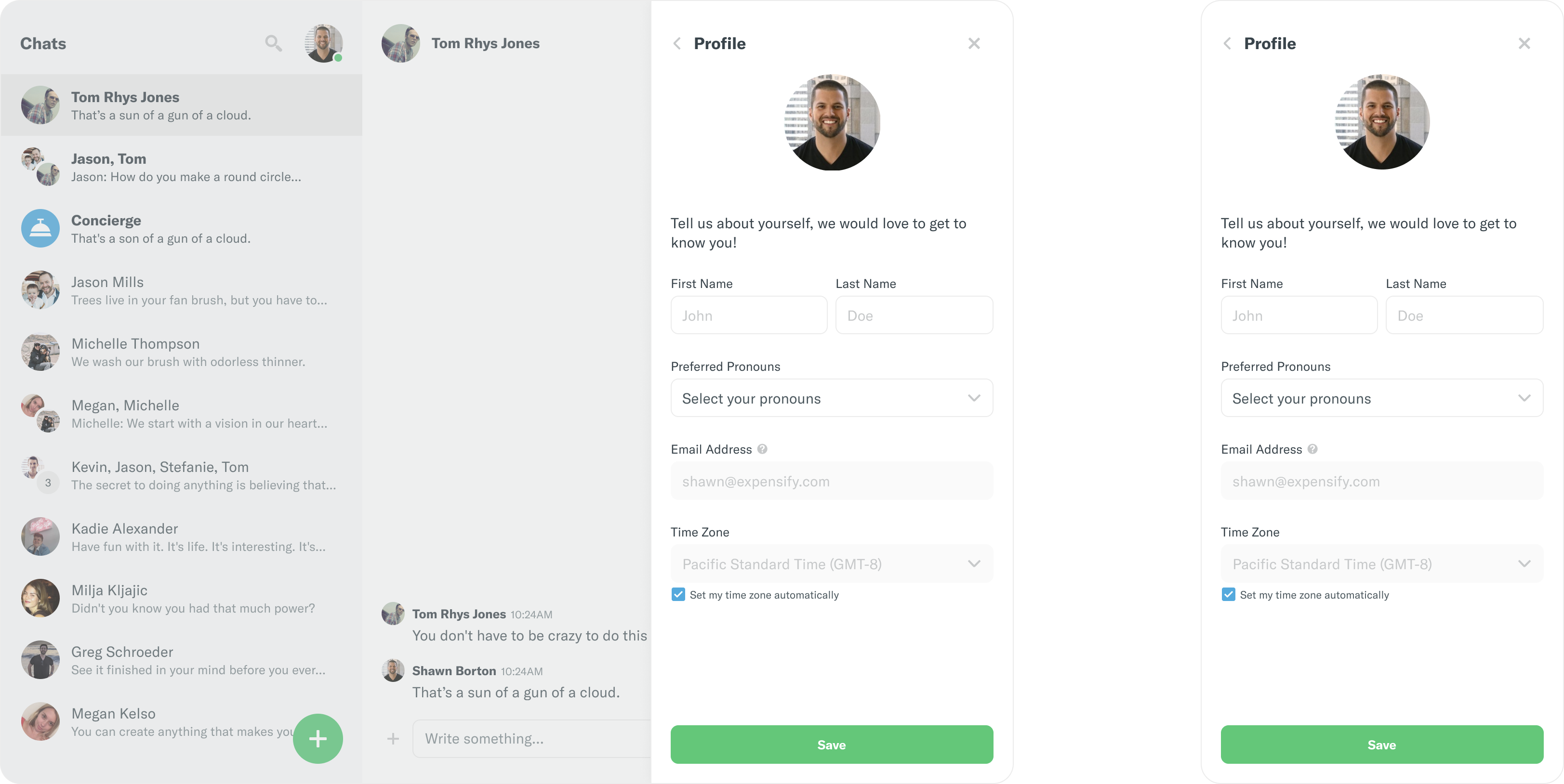
The Profile view will be displayed when the "Profile" menu item is clicked. It will display a header with a left-facing arrow on the left-hand side, a title, and an X button to close the view on the right-hand side. The view will contain the following:
- Non-Editable User Avatar
- A prompt stating
Tell us about yourself, we would love to get to know you!
- Fields for First Name and Last Name
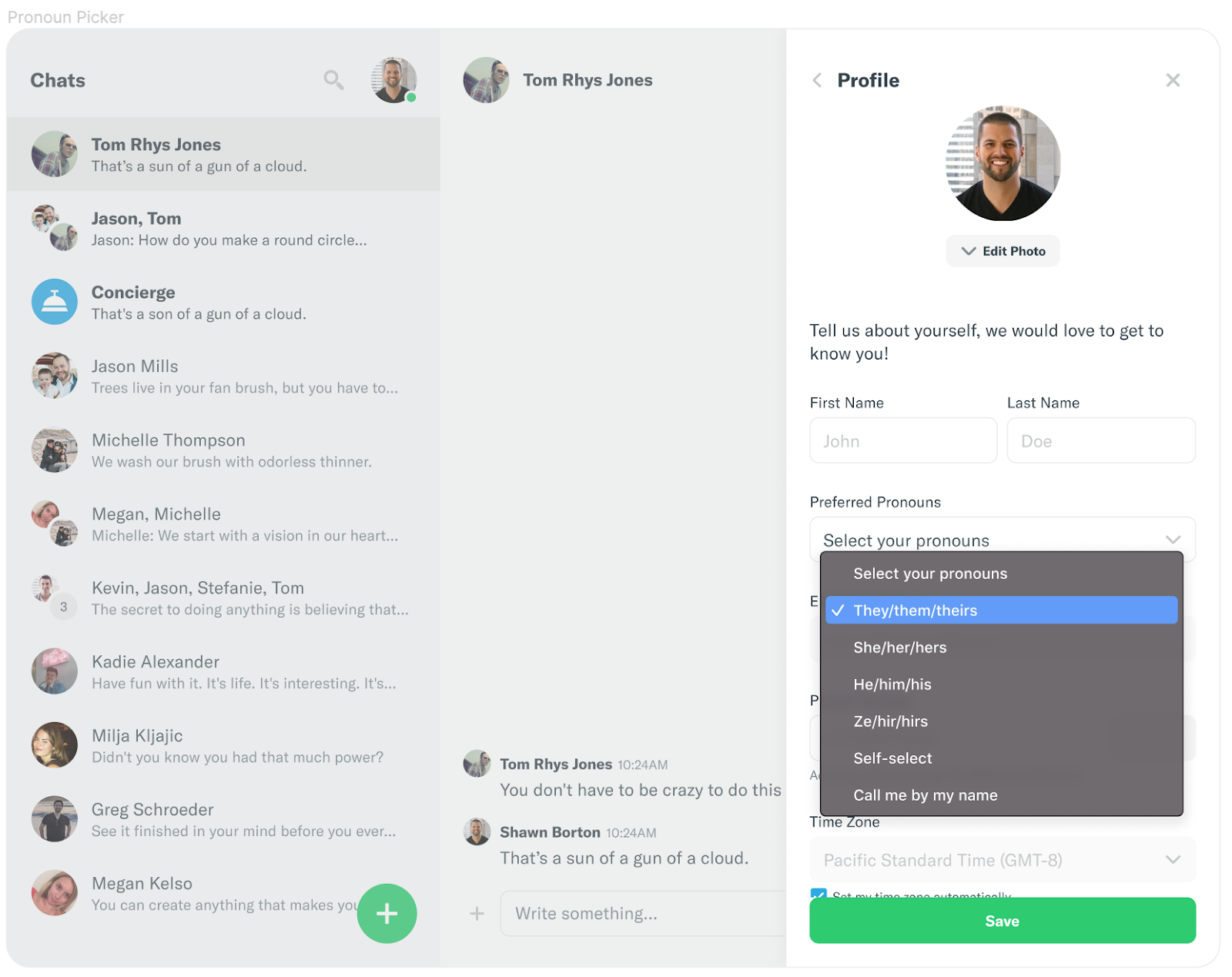
- A preferred pronoun dropdown
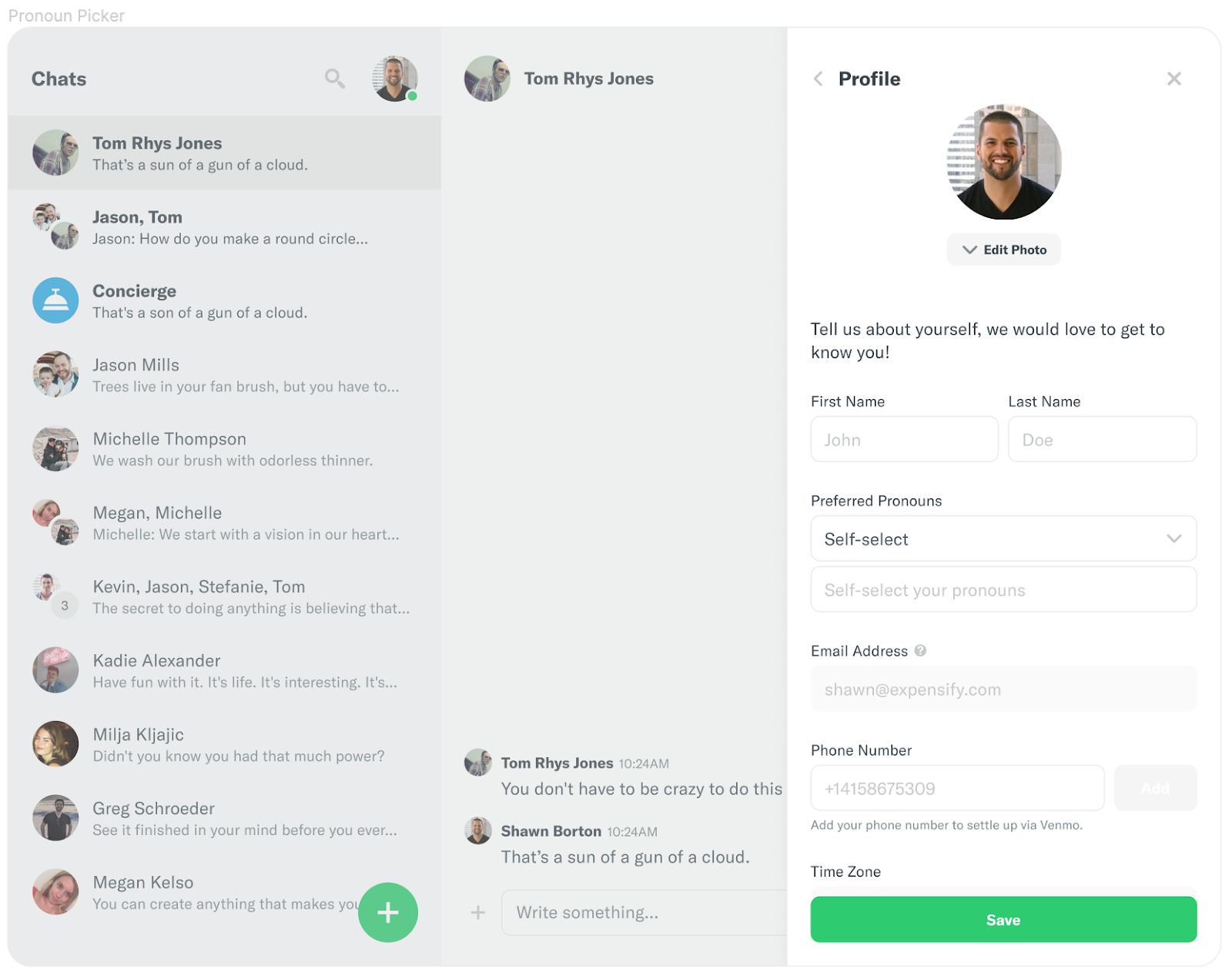
- If the user selected
Self-select from the dropdown we will display a text field below the dropdown
- A text field for an email address or phone number, depending on which is the user's primary login
- A dropdown for selecting a time zone
- A check box with the label
set my timezone automatically
- A save button
Deliverables
- Clicking on the
Profile menu item on the Settings page will route the user to settings/profile via ROUTES.getSettingsRoute and display the new view
- Pressing
X should close the right-handle modal and redirect the user to their last viewed report
- Pressing
< should route the user back to the main settings page:
- The first name, last name, pronouns, and timezone should be filled with data from the
myPersonalDetails onyx key if it has been filled out
- If no values have been filled for the first and last name we should display placeholder values
John and Doe for the first and last name, respectively.
- Use the react-native-picker-select library to implement the dropdown for pronouns selection
- In the user chooses
Self-Select then we should display a text field for the user to enter their pronouns of choice
Overall Display:
Primary Login:
- Get the user's primary login from
myPersonalDetails.login and display it in the text box associated with that login type (Email/Phone Number). This field should be un-editable.
Pronouns Dropdown:
| Pronouns Dropdown |
Self Select with Text Field |
 |
 |
TimeZone:
-
Get timezone.selected and timezone.automatic from the myPersonalDetails onyx key
-
Use moment-timezone to get a list of timezones to display in the timezone dropdown
- The timezone should default to
timezone.selected if it exists and to "America/Los_Angeles" if it doesn't
-
The Set my timezone automatically checkbox should default to timezone.automatic if it exists and true if it doesn't
-
Save:
- Call
PersonalDetails.setPersonalDetails with an object containing the user's avatarURL, first name, last name, pronouns, and timeZone

If you haven’t already, check out our contributing guidelines for onboarding!
Having added four new menu items to the Settings page, we now need to begin linking those menu items to actual pages. This issue pertains to the
Profilepage.The Profile view will be displayed when the "Profile" menu item is clicked. It will display a header with a left-facing arrow on the left-hand side, a title, and an
Xbutton to close the view on the right-hand side. The view will contain the following:Tell us about yourself, we would love to get to know you!Self-selectfrom the dropdown we will display a text field below the dropdownset my timezone automaticallyDeliverables
Profilemenu item on the Settings page will route the user tosettings/profileviaROUTES.getSettingsRouteand display the new viewXshould close the right-handle modal and redirect the user to their last viewed report<should route the user back to the main settings page:myPersonalDetailsonyx key if it has been filled outJohnandDoefor the first and last name, respectively.Self-Selectthen we should display a text field for the user to enter their pronouns of choiceOverall Display:
Primary Login:
myPersonalDetails.loginand display it in the text box associated with that login type (Email/Phone Number). This field should be un-editable.Pronouns Dropdown:
TimeZone:
Get
timezone.selectedandtimezone.automaticfrom themyPersonalDetailsonyx keyUse
moment-timezoneto get a list of timezones to display in the timezone dropdowntimezone.selectedif it exists and to "America/Los_Angeles" if it doesn'tThe
Set my timezone automaticallycheckbox should default totimezone.automaticif it exists andtrueif it doesn'tSave:
PersonalDetails.setPersonalDetailswith an object containing the user'savatarURL,first name,last name,pronouns, andtimeZoneUpwork Link: https://www.upwork.com/jobs/~0180f7fc7a6469866e